

Re-usability

In research environments, effective data management depends on clarity, transparency, and interoperability. As datasets grow in complexity and scale, institutions must ensure that research data is FAIR; not only accessible but also well-documented, interoperable, and reusable across diverse systems and contexts in research Data Spaces.

The Semantic Engine (which runs OCA Composer), developed by Agri-Food Data Canada (ADC) at the University of Guelph, addresses this need.

What is the OCA Composer

The OCA Composer is based on the Overlays Capture Architecture (OCA), an open standard for describing data in a structured, machine-readable format. Using OCA allows datasets to become self-describing, meaning that each element, unit, and context is clearly defined and portable.

This approach reduces reliance on separate documentation files or institutional knowledge. Instead, OCA schemas ensure that the meaning of data remains attached to the data itself, improving how datasets are shared, reused, and integrated over time. This makes data easier to interpret for both humans and machines.

The OCA Composer provides a visual interface for creating these schemas. Researchers and data managers can build machine-readable documentation without programming skills, making structured data description more accessible to those involved in data governance and research.

Why Use OCA Composer in your Data Space

Implementing standards can be challenging for many Data Spaces and organizations. The OCA Composer simplifies this process by offering a guided workflow for creating structured data documentation. This can help researchers:

  • Standardize data descriptions across projects and teams
  • Improve dataset discoverability and interoperability
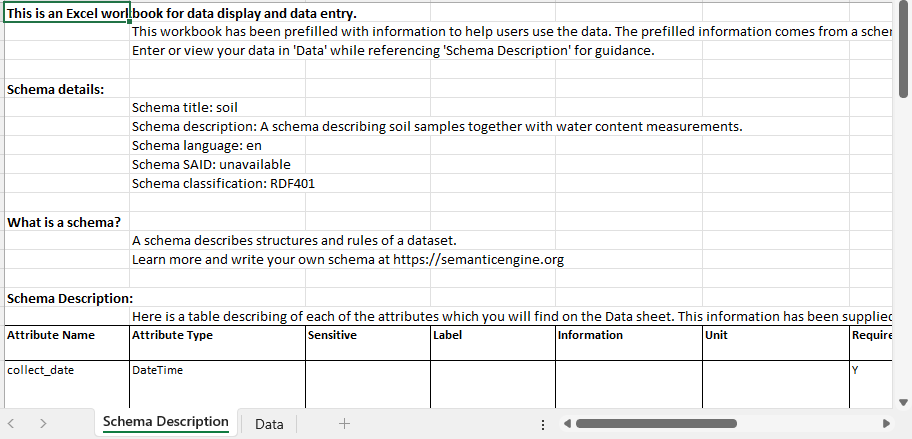
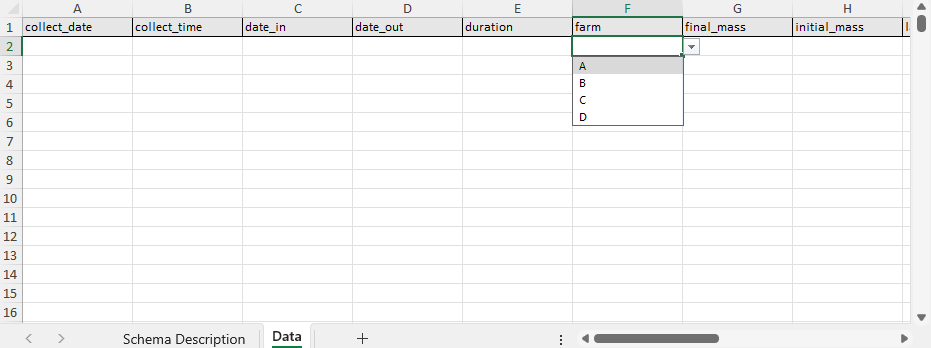
  • Support collaboration through consistent documentation templates (e.g. Data Entry Excel)
  • Increase transparency and trust in data definitions

By making metadata a central part of data management, researchers can strengthen their overall data strategy.

Integration and Customization

The OCA Composer can support the creation and running of Data Spaces by organizations, departments, research projects and more. These Data Spaces often have unique digital environments and branding requirements. The OCA Composer supports this through embedding and white labelling features. These allow the tool to be integrated directly into existing platforms, enabling users to create and verify schemas while remaining within the infrastructure of the Data Space. Institutions can also apply their own branding to maintain a consistent visual identity.

This flexibility means the Composer can be incorporated into internal portals, research management systems, or open data platforms including Data Spaces while preserving organizational control and customization.

To integrate the OCA Composer in your systems or Data Space, check out our more technical details. Alternatively, consult with Agri-food Data Canada for help, support or as a partner in your grant application.


Written by Ali Asjad and Carly Huitema

Alrighty let’s briefly introduce this topic.  AI or LLMs are the latest shiny object in the world of research and everyone wants to use it and create really cool things!  I, myself, am just starting to drink the Kool-Aid by using CoPilot to clean up some of my writing – not these blog posts – obviously!!

Now, all these really cool AI tools or agents use data.  You’ve all heard the saying “Garbage In…. Garbage Out…”?  So, think about that for a moment.  IF our students and researchers collect data and create little to no documentation with their data – then that data becomes available to an AI agent…  how comfortable are you with the results?  What are they based on?  Data without documentation???

Let’s flip the conversation the other way now.   Using AI agents for data creation or data analysis without understanding how the AI works, what it is using for its data, how do the models work – but throwing all those questions to the wind and using the AI agent results just the same.  How do you think that will affect our research world?

I’m not going to dwell on these questions – but want to get them out there and have folks think about them.   Agri-food Data Canada (ADC) has created data documentation tools that can easily fit into the AI world – let’s encourage everyone to document their data, build better data resources – that can then be used in developing AI agents.

Michelle

It’s me again!  Yup back to that historical data topic too!  I didn’t want to leave everyone wondering what I did with my old data – so I thought I’d take you on a tour of my research data adventures and what has happened to all that data.

BSc(Agr) 4th year project data – 1987-1988

Let’s start with my BSc(Agr) data – that image you saw in my last post  was indeed part of my 4th year project and a small piece of a provincial (Nova Scotia) mink breeding project: “Estimation of genetic parameters in mink for commercially important traits”.  The data was collected over 2 years and YES it is was collected by hand and YES I have it my binder (here in my office).  Side note: if you have ever worked with mink – it can take days to smell human after working with them 🙂   Now some of you may be thinking – hang on – breeding project – data in hand – um…  how were the farms able to make breeding decisions if I had the data?  Did they get a copy of the data?

Remember we are talking 40 years ago – and YES every piece of data that we collected – IF it was relevant for any farm decisions, was photocopied and later entered into a farm management system.  So, no management data was lost!  However, I took bone diameter measurements, length measures, weights at regular intervals, and many more measures – that frankly were NOT necessary or of interest to management of the animals at that time.  Now that data – to me – is valuable!!  So – what did I do with it?  A few years ago – during some down time – I transcribed it and now I have a series of Excel files with the data.  Next question would be – where is the data?   Another topic for next blog post 😉

MSc project data – 1989-1990

Moving onto my MSc data – “Estimation of swine carcass composition by video image analysis” (https://bac-lac.on.worldcat.org/oclc/27849855?lang=en).   Hang on to your hats for this!!

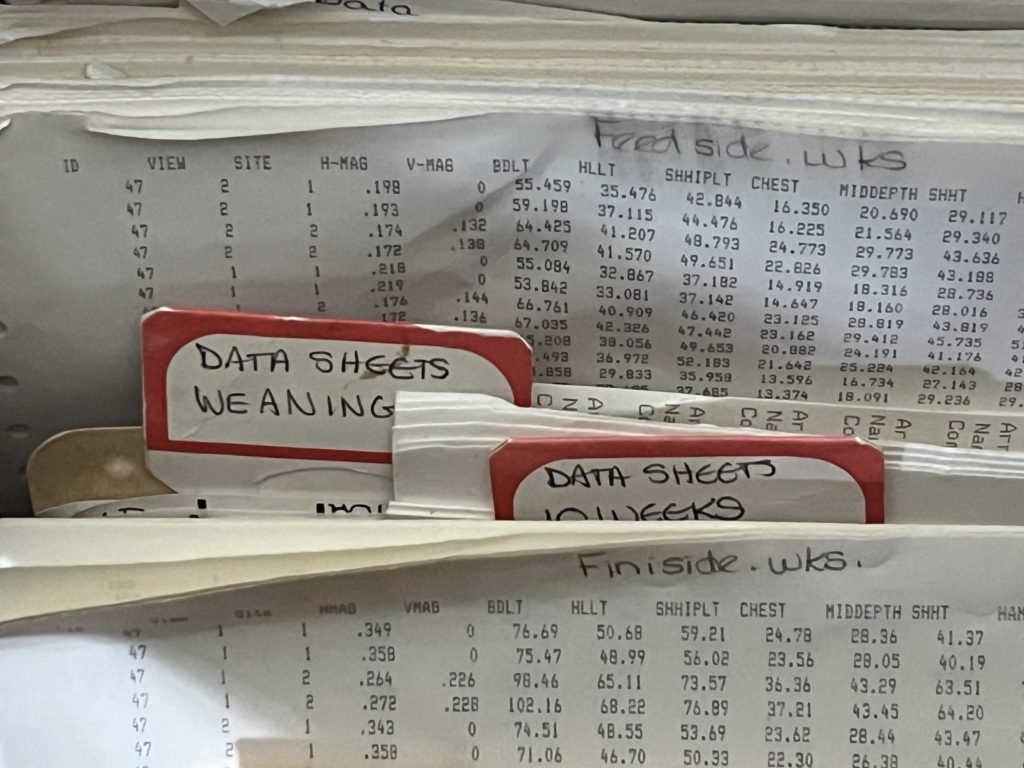
Image of folders         Image of folders
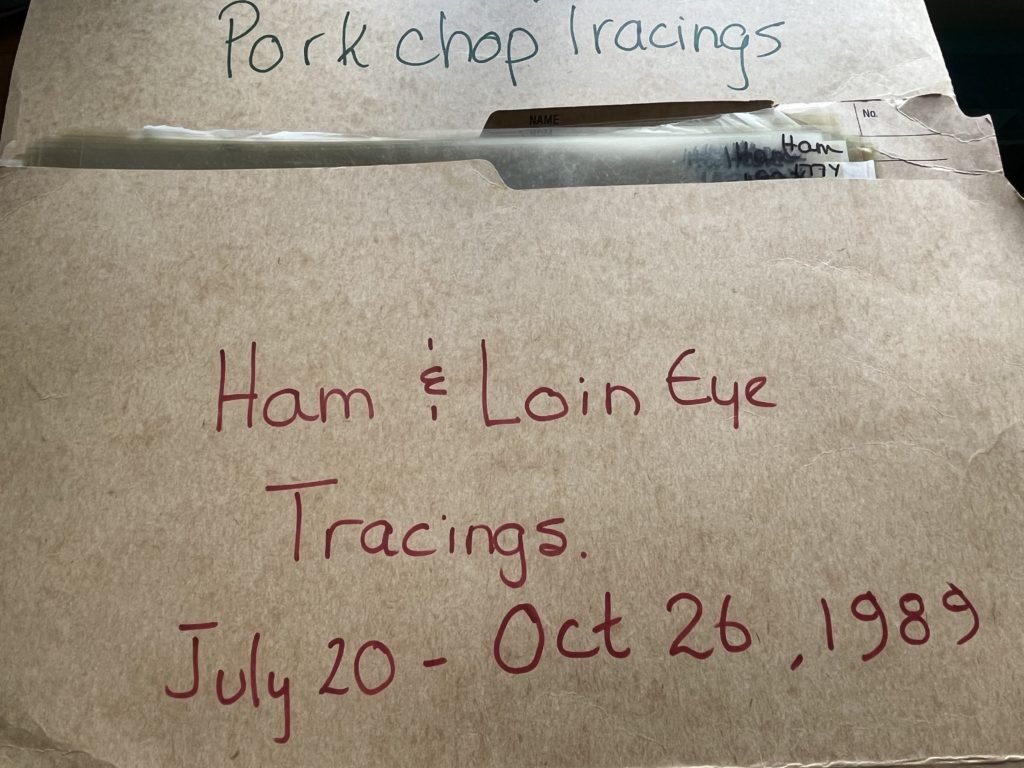
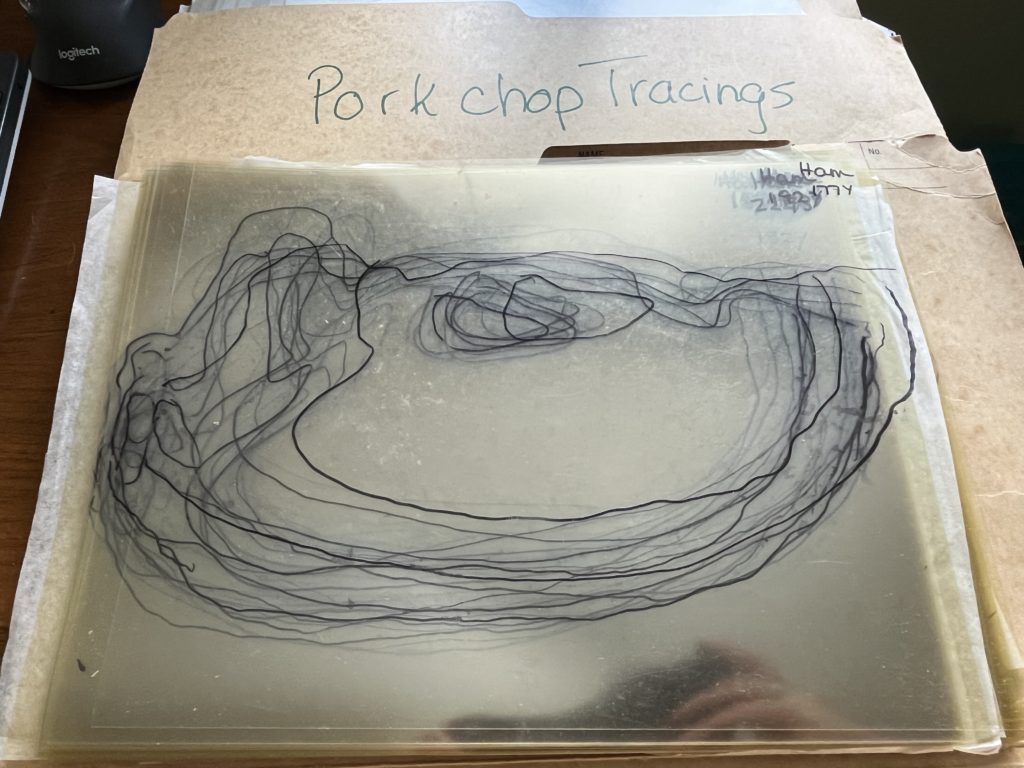
Image of acetate tracings


And you thought handwritten data was bad!  Here are all the printouts of my MSc thesis data and hand drawn acetate tracings from a variety of pork cuts!  Now what?  Remember I keep bringing us back to this concept of historical data.  Well, this is to show you that historical data comes in many different formats.  Does this have value?  Should I do something with this?

Well –  you should all know the answer by now :). Yes, a couple of years ago I transcribed the raw data sheets into Excel files.  But, those tracings – they’re just hanging around for the moment.  I just cannot get myself to throw them out – maybe some day I’ll figure out what to do with them.  If you have any suggestions – I would LOVE to hear from you.

Also note, that the manager of the swine unit at that time, kept his own records for management and breeding purposes – this data was only for research purposes.

PhD project data – 1995-1997

So up until now – it took work but I was able to transcribe and re-use my BSc(Agr) and MSc research data.  Now the really fun part.  Here are another couple of pictures that might take some of you back.

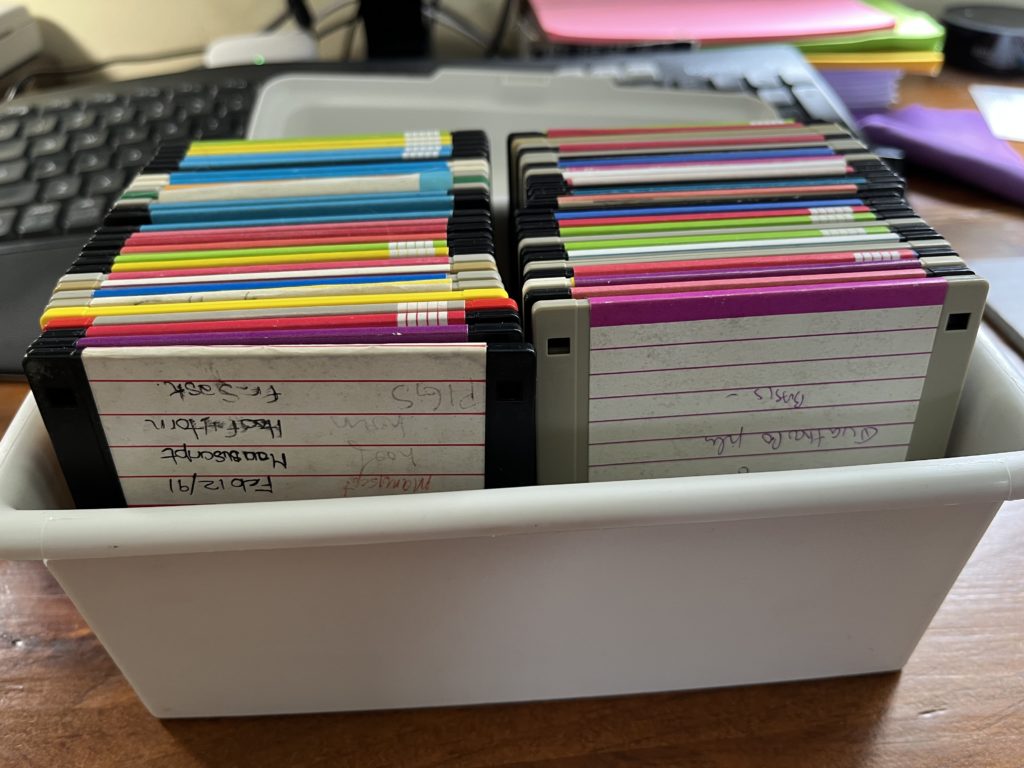
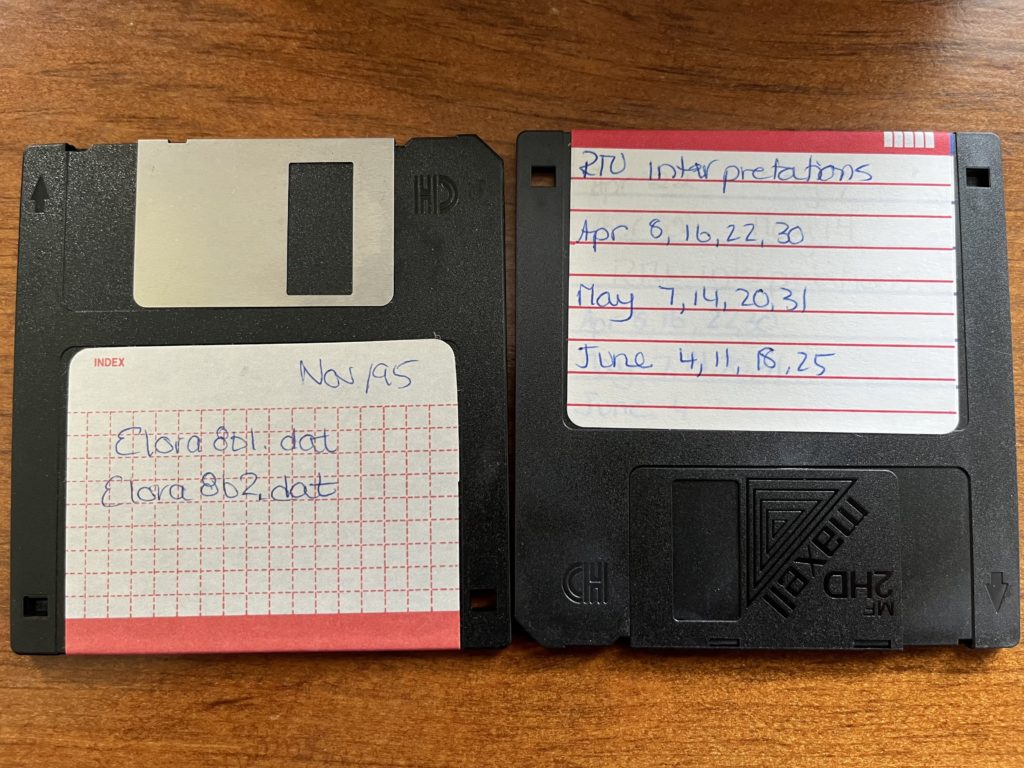
Box of 3.5" diskettesImage of 2 3.5" diskettes

Yup!  My whole PhD data was either on these lovely 3.5″ diskettes or on a central server – which is now defunct!  Now we might excited and think – hey it’s digital!   No need to transcribe!  BUT and that’s a VERY LOUD

BUT

These diskettes are 30 years old!  Yes I bought a USB disk drive and when I went through these only 3 were readable!   and the data on them were in a format that I can no longer read without investing a LOT of time and potentially money!

Now the really sad part – these data were again part of a large rotational breeding program.  The manager also kept his own records – but there was SO much valuable data, especially the meat quality side of my trials that were not kept and lost!  To this day, I am aware that there were years of data from this larger beef trial that were not kept.  It’s really hard to see and know that has happened!

Lessons learned?

Have we really learned anything?  For me, personally, these 3 studies, have instilled my desire to save research data – but I have come to realize that not everyone feels the same way.  That’s ok!  Each of us, needs to consider if there is an impact to losing that OLD or historical data.  For my 3 studies, the mink one – the farm managers kept what they needed and the extra measures I was taking would not have impacted the breeding decisions or the industry – so – ok we can let that data die.  It’s a great resource for teaching statistics though.

My MSc data – again – I feel that it followed a similar pattern than my BSc(Agr) trials.  Although, from a statistical point of view – there are a few great studies that someone could do with this data – so who knows if that will happen or not.

Now my PhD data – that one really stings!  Working with the same Research Centre today yes 30 years later!  I wish we had a bigger push to save that data.  Believe me – we tried – there are a few of us around today that still laugh at the trials and tribulations of creating and resurrecting the Elora Beef Database – but we just haven’t gotten there yet – and I personally am aware of a lot of data that will never be available.

So I ask you – is YOUR research data worth saving?  What are your research data adventures?   Where will it leave your data?

Michelle

In research and data-intensive environments, precision and clarity are critical. Yet one of the most common sources of confusion—often overlooked—is how units of measure are written and interpreted.

Take the unit micromolar, for example. Depending on the source, it might be written as uM, μM, umol/L, μmol/l, or umol-1. Each of these notations attempts to convey the same concentration unit. But when machines—or even humans—process large amounts of data across systems, this inconsistency introduces ambiguity and errors.

The role of standards

To ensure clarity, consistency, and interoperability, standardized units are essential. This is especially true in environments where data is:

  • Shared across labs or institutions

  • Processed by machines or algorithms

  • Reused or aggregated for meta-analysis

  • Integrated into digital infrastructures like knowledge graphs or semantic databases

Standardization ensures that “1 μM” in one dataset is understood exactly the same way in another and this ensures that data is FAIR (Findable, Accessible, Interoperable and Reusable).

UCUM: Unified Code for Units of Measure

One widely adopted system for encoding units is UCUM—the Unified Code for Units of Measure. Developed by the Regenstrief Institute, UCUM is designed to be unambiguous, machine-readable, compact, and internationally applicable.

In UCUM:

  • micromolar becomes umol/L

  • acre becomes [acr_us]

  • milligrams per deciliter becomes mg/dL

This kind of clarity is vital when integrating data or automating analyses.

UCUM doesn’t include all units

While UCUM covers a broad range of units, it’s not exhaustive. Many disciplines use niche or domain-specific units that UCUM doesn’t yet describe. This can be a problem when strict adherence to UCUM would mean leaving out critical information or forcing awkward approximations. Furthermore, UCUM doesn’t offer and exhaustive list of all possible units, instead the UCUM specification describes rules for creating units. For the Semantic Engine we have adopted and extended existing lists of units to create a list of common units for agri-food which can be used by the Semantic Engine.

Unit framing overlays of the Semantic Engine

To bridge the gap between familiar, domain-specific unit expressions and standardized UCUM representations, the Semantic Engine supports what’s known as a unit framing overlay.

Here’s how it works:

  • Researchers can input units in a familiar format (e.g., acre or uM).

  • Researchers can add a unit framing overlay which helps them map their units to UCUM codes (e.g., "[acr_us]" or "umol/L").

  • The result is data that is human-friendly, machine-readable, and standards-compliant—all at the same time.

This approach offers the both flexibility for researchers and consistency for machines.

Final thoughts

Standardized units aren’t just a technical detail—they’re a cornerstone of data reliability, semantic precision, and interoperability. Adopting standards like UCUM helps ensure that your data can be trusted, reused, and integrated with confidence.

By adopting unit framing overlays with UCUM, ADC enables data documentation that meet both the practical needs of researchers and the technical requirements of modern data infrastructure.

Written by Carly Huitema

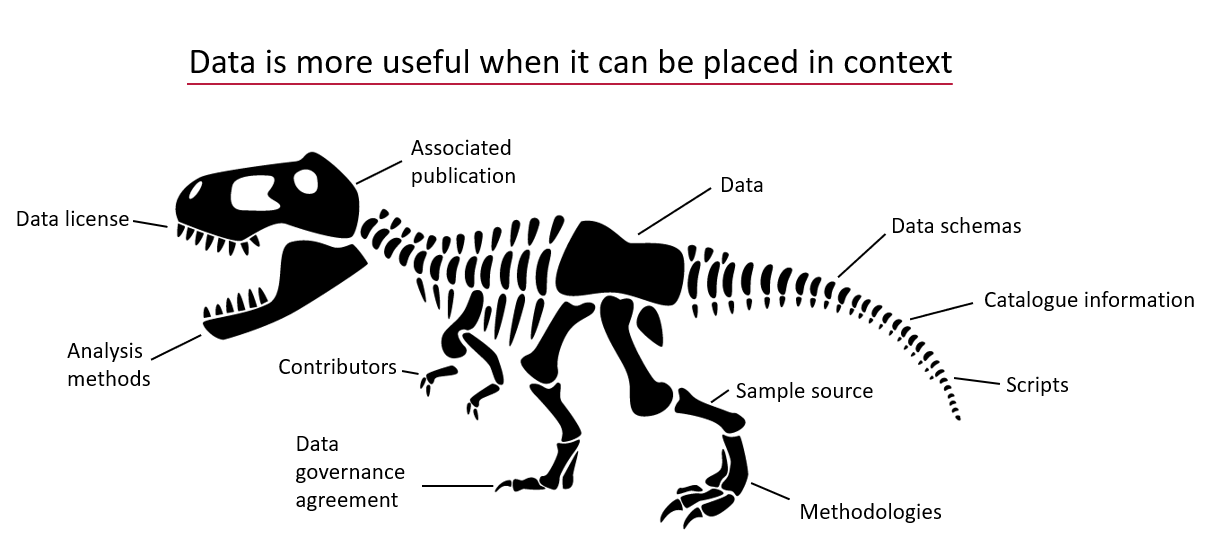
Understanding Data Requires Context

Data without context is challenging to interpret and utilize effectively. Consider an example: raw numbers or text without additional information can be ambiguous and meaningless. Without context, data fails to convey its full value or purpose.

Data does not speak for itself.

By providing additional information, we can place data within a specific context, making it more understandable and actionable – more FAIR. This context is often supplied through metadata, which is essentially “data about data.” A schema, for instance, is a form of metadata that helps define the structure and meaning of the data, making it clearer and more usable.

Data is more useful when it can be placed in context.

The Role of Schemas in Contextualizing Data

A data schema is a structured form of metadata that provides crucial context to help others understand and work with data. It describes the organization, structure, and attributes of a dataset, allowing data to be more effectively interpreted and utilized.

Data are described by schemas.

A well-documented schema serves as a guide to understanding the dataset’s column labels (attributes), their meanings, the data types, and the units of measurement. In essence, a schema outlines the dataset’s structure, making it accessible to users.

For example, each column in a dataset corresponds to an attribute, and a schema specifies the details of that column:

  • Units: What units the data is measured in (e.g., meters, seconds).
  • Format: What format the data should follow (e.g., date formats).
  • Type: Whether the data is numerical, textual, boolean etc.

The more features included in a schema to describe each attribute, the richer the metadata, and the easier it becomes for users to understand and leverage the dataset.

Richer schemas have more features which better describe the data.

Writing and Using Schemas

When preparing to collect data—or after you’ve already gathered a dataset—you can enhance its usability by creating a schema. Tools like the Semantic Engine can help you write a schema, which can then be downloaded as a separate file. When sharing your dataset, including the schema ensures that others can fully understand and use the data.

Reusing and Extending Schemas

Instead of creating a new schema for every dataset, you can reuse existing schemas to save time and effort. By building upon prior work, you can modify or extend existing schemas—adding attributes or adjusting units to align with your specific dataset requirements.

One Schema for Multiple Datasets

In many cases, one schema can be used to describe a family of related datasets. For instance, if you collect similar data year after year, a single schema can be applied across all those datasets.

Publishing schemas in repositories (e.g., Dataverse) and assigning them unique identifiers (such as DOIs) promotes reusability and consistency. Referencing a shared schema ensures that datasets remain interoperable over time, reducing duplication and enhancing collaboration.

Conclusion

Context is essential to making data understandable and usable. Schemas provide this context by describing the structure and attributes of datasets in a standardized way. By creating, reusing, and extending schemas, we can make data more accessible, interoperable, and valuable for users across various domains.

Written by Carly Huitema

Alrighty – so you have been learning about the Semantic Engine and how important documentation is when it comes to research data – ok, ok,  yes documentation is important to any and all data, but we’ll stay in our lanes here and keep our conversation to research data.  We’ve talked about Research Data Management and how the FAIR principles intertwine and how the Semantic Engine is one fabulous tool to enable our researchers to create FAIR research data.

But…  now that you’ve created your data schema, where can you save it and make it available for others to see and use?   There’s nothing wrong with storing it within your research group environment, but what if there are others around the world working on a related project?  Wouldn’t it be great to share your data schemas?  Maybe get a little extra reference credit along your academic path?

Let me walk you through what we have been doing with the data schemas created for the Ontario Dairy Research Centre data portal.   There are 30+ data schemas that reflect the many data sources/datasets that are collected dynamically at the Ontario Research Dairy Centre (ODRC), and we want to ensure that the information regarding our data collection and data sources is widely available to our users and beyond by depositing our data schemas into a data repository.   We want to encourage the use and reuse of our data schemas – can we say R in FAIR?

Storing the ADC data schemas

Agri-food Data Canada(ADC) supports, encourages, and enables the use of national platforms such as Borealis – Canadian Dataverse Repository.   The ADC team has been working with local researchers to deposit their research data into this repository for many years through our OAC Historical Data project.   As we work on developing FAIR data and ensuring our data resources are available in a national data repository, we began to investigate the use of Borealis as a repository for ADC data schemas.  We recognize the need to share data schemas and encourage all to do so – data repositories are not just for data – let’s publish our data schemas!

If you are interested in publishing your data schemas, please contact adc@uoguelph.ca for more information.   Our YouTube series: Agri-food Data Canada – Data Deposits into Borealis (Agri-environmental Data Repository) will be updated this semester to provide you guidance on recommended practices on publishing data schemas.

Where is the data schema?

So, I hope you understand now that we can deposit data schemas into a data repository – and here at ADC, we are using the Borealis research data repository.  But now the question becomes – how, in the world do I find the data schemas?  I’ll walk you through an example to help you find data schemas that we have created and deposited for the data collected at the ODRC.

  1. Visit Borealis (the Canadian Dataverse Repository) or the data repository for research data.
  2. Borealis data repository entry page

  3. In the search box type:  Milking data schema
  4. You will get a LOT of results (152, 870+) so let’s try that one again
  5. Go back to the Search box and using boolean searching techniques in the search box type: “data schema” AND milking
  6. Borealis search text

  7. Now you should have around 35 results – essentially any entry that has the words data schema together and milking somewhere in the record
  8. From this list select the entry that matches the data you are aiming to collect – let’s say the students were working with the cows in the milking parlour.  So you would select ODRC data schema: Milk parlour data

Now you have a data schema that you can use and share among your colleagues, classmates, labmates, researchers, etc…..

Remember to check out what you else you can do with these schemas by reading about all about Data Verification.

Summary

A quick summary:

  1. I can deposit my data schemas into a repository – safe keeping, sharing, and getting academic credit all in one shot!
  2. I can search for a data schema in a repository such as Borealis
  3. I can use a data schema someone else has created for my own data entry and data verification!

Wow!  Research data life is getting FAIRer by the day!

Michelle


Let’s take a little jaunt back to my FAIR posts.  Remember that first one?  R is for Reusable?  Now, it’s one thing to talk about data re-usability, but it’s an entirely different thing to put this into action.  Well, here at Agri-food Data Canada or ADC we like to put things into action, or think about it as “putting our money where our mouth is”.   Oh my!  I’m starting to sound like a billboard – but it’s TIME to show off what we’re doing!

Alrighty – data re-usability.  Last time I talked about this, I mentioned the reproducibility crisis and the “fear” of people other than the primary data collector using your data.  Let’s take this to the next level.  I WANT to use data that has been collected by other researchers, research labs, locales, etc… But now the challenge becomes – how do I find this data?  How can I determine whether I want to use it or whether it fits my research question without downloading the data and possibly running some pre-analysis, before deciding to use it or not?

ADC’s Re-usable Data Explorer App

How about our newest application?  the Re-usable Data Explorer App?  The premise behind this application is that research data will be stored in a data repository, we’ll use Borealis, the Canadian Dataverse Repository for our instance.  At the University of Guelph, I have been working with researchers in the Ontario Agricultural College for a few years now, to help them deposit data from papers that have already been published – check out the OAC Historical Data project.  There are currently almost 1,500 files that have been deposited representing almost 60 studies.   WOW!  Now I want to explore what data there is and whether it is applicable to my study.

Let’s visit the Re-usable Data Explorer App   and select Explore Borealis at the top of the page.  You have the option to select Study Network and Data Review.  Select Study Network and be WOWed.   You have the option to select a department within OAC or the Historical project.  I’m choosing the Historical project for the biggest impact!  I also love the Authors option.


Look at how all these authors are linked, just based on the research data they deposited into the OAC historical project!  Select an author to see how many papers they are involved with and see how their co-authors link to others and so on.

But ok – where’s the data?  Let’s go back and select a keyword.  Remember lots of files, means you need a little patience for the entire keyword network to load!!  Zoom in to select your keyword of choice – I’ll select “Nitrogen”.  Now you will notice that keywords needs some cleaning up and that will happen over the next few iterations of this project.  Alright nitrogen appears in 4 studies – let’s select Data Review at the top.  Now I need to select one of the 4 studies – I selected the Replication Data for: Long-term cover cropping suppresses foliar and fruit disease in processing tomatoes.

What do I see?
All the metadata – at the moment this comes directly from Borealis – watch for data schemas to pop up here in the future!  Let’s select Data Exploration – OOOPS the data is restricted for this study – no go.

Alrighty let’s select another study:  Replication Data for: G18-03 – 2018 Greens height fertility trial

Metadata – see it!  Let’s try Data exploration – aha!  Looking great – select a datafile – anything with a .tab ending – and you will see a listing of the raw data.  Check out Data Summary and Data Visualization tabs!

heatmap

Wow!!  This gives me an idea of the relationship of the variables in this dataset and I can determine by browsing these different visualizations and summary statistics whether this dataset fits the needs of my current study – whether I can RE-USE this data!

Last question though – ok I’ve found a dataset I want to use – how do I access it?  Easy…  Go to the Study Overview tab scroll down to the DOI of the dataset.  Click it or copy it into your browser and it will take you to the dataset in the data repository and you can click Access Dataset to view your download options

Data Re-use at my fingertips

Now isn’t that just great!  This project came from a real use case scenario and I just LOVE what the team has created!  Try it out and let us know what you think or if you run into any glitches!

I’m looking forward to the finessing that will take place over the next year or so – but for now enjoy!!

Michelle